iPhone SOS via Satellite

In case you missed it amongst Apple’s recent announcements, apparently the iPhone 14 will be able to send messages to emergency services via satellite in situations without cell service.
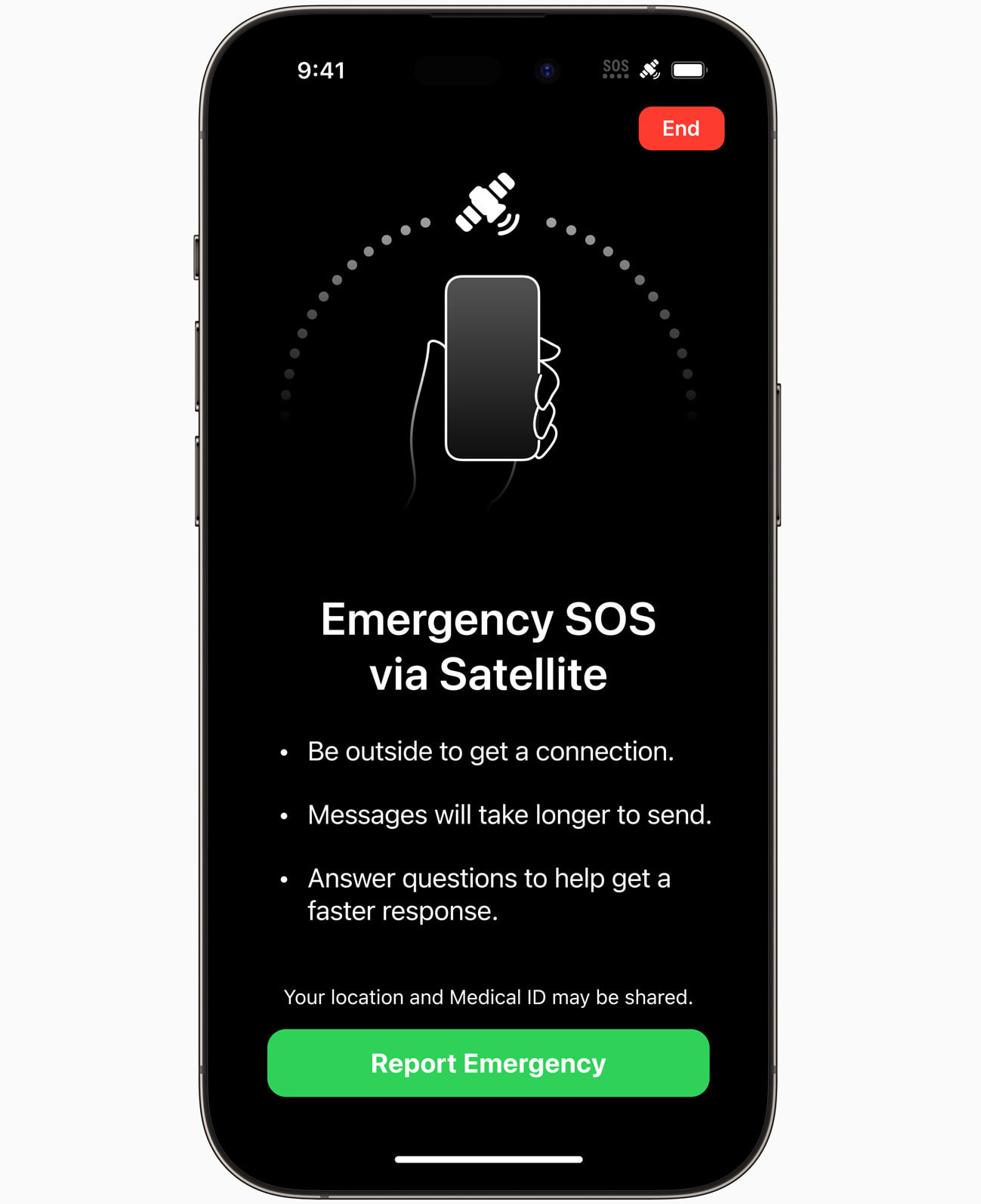
This is pretty amazing to me! There are a lot of great reasons to celebrate this capability to improve safety, but I guess we’ll have to see how Apple decides to monetize this. If would be awesome if all new iPhones had access to this for free.

On the other hand, people being people, someone will use this to tell emergency services that their BBQ pork order was cooked improperly.
Nisus Writer Pro 3.3 and Express 4.3

We are happy to announce the release of Nisus Writer Pro version 3.3 and Nisus Writer Express version 4.3. The main points are to ensure compatibility with macOS Ventura (pending Apple’s final release) and restore the Spanish localization. There’s also the usual batch of smaller fixes and improvements.

These app updates are free for existing users of current versions. The updates are available in-app using the menu Check For Updates, via the Mac App Store, or as downloads from our website.

Nisus Writer and macOS Ventura

Apple recently made it possible for adventurous Mac users to install macOS Ventura ahead of the new system’s final release. A developer account is no longer required; any user can participate. You need only enroll in Apple’s beta program.

We generally don’t recommend that our users try beta versions of macOS, unless you have a high threshold for potential headaches (and good data backups). However, if you are sinking your toes into Ventura’s sandy beaches, be aware that the current release versions of Nisus Writer are not compatible. Nisus Writer will likely crash when attempting to load documents on Ventura.

We are working on updates to smooth over any incompatibilities that aren’t resolved by Ventura’s final release. If you need access to a version of Nisus Writer that runs on Ventura please join the Nisus beta team. We’re already privately testing to make sure we’re ready for Ventura’s release one way or another.

UPDATE: Nisus Writer has been updated for macOS Ventura compatibility (pending Apple’s final release).

SummerFest Sale

Yep, it’s hot and sticky again. But we’re lucky to be pants-free Netizens working from home nearly the whole day. And, unless you’re on a video call, you can actually go further; whole hog as they say, free range, the full monty python, unfettered by cotton… well, you get the idea. The world is truly coming apart.

But enough nonsense. Down to business! The business of making and selling software, which is now on sale for a limited time.

The new season brings new plans, fresh projects, and great new ideas. Whether you’re mapping out your next novel, finishing your dissertation, planning a product, or writing memories for your grandkids, great tools can help. As is our custom in this season, we’re taking part in a gathering of software artisans called SummerFest.

You can save 25% on all Nisus Software apps by entering the coupon code SUMMERFEST2022 at checkout in the Nisus store. Likewise you can save up to 25% on other participating SummerFest apps. Check it out soon, before the savings come to an end.

How to Copy a File Path in the Finder

Maybe I should file this under “old news that I should be ashamed I didn’t already know”, but I recently learned you can easily copy the path of any file or folder in the Finder:

1. Select the file or folder in the Finder.
2. Hold down the Option key on the keyboard (and keep it down until you finish step 3).
3. Choose the menu Edit > Copy “Your File” as Pathname.

The item’s path has been placed onto the clipboard.

This same menu command is also available from the item’s contextual menu. As with the main menu, you have to hold down the Option key to see the alternative command (it supplants the normal Copy command).

The only remaining question is who at Apple decided to call this a pathname? That is a real term, but nobody calls it that. “Certainly milord, I shall fetch your pathname posthaste!” 🎩 Round these parts we just call ’em paths.

Scan Paper Documents with Your Mac

It’s a beautiful thing to go completely paperless when it comes to personal documents. No more monthly statements, yearly declaration packets, and other junk cluttering your space. One of my New Year’s Resolutions was to finally digitize old accrued papers. It’s like a weight loss program for filing drawers– let’s feel the burn! 📄🔥

Did you know that you can scan papers by taking photos with your iPhone? The results are pretty good. There’s some filtering that increases contrast to hide lighting irregularities and sharpen text. You can add scans on your iPhone using the Notes app.

What’s even nicer is that you can initiate scans from your Mac using something called Continuity Camera. This mode will save the scan results directly to your Mac. Here’s the incredibly useful workflow:

1. Switch to the Finder and right-click on the Desktop or any other folder.
2. Choose the contextual menu command Import from iPhone > Scan Documents
   → Scanning mode will be activated on your phone.
3. Using your iPhone take photos of your paper documents, and click Save when finished.
   → A PDF file will be saved to the folder you used in step 1 above.

The resulting PDF will contain all of your scans, one photo per PDF page.

Nisus Writer Font Previews

Nisus Writer’s font menu has long been WYSIWYG (What You See Is What You Get, for any kids out there). But that isn’t always helpful. You don’t want to see how a list of font names will look. You actually want to see how your text will look.

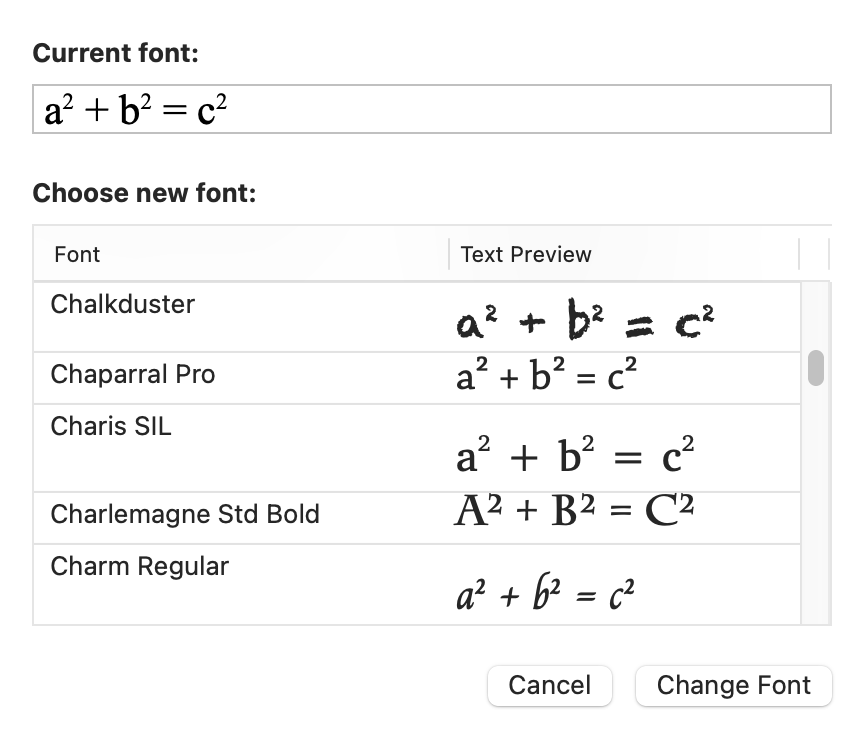
This is where Nisus Writer’s font preview can help. For example, let’s say that you select a text equation in your document and use the menu Format > Font > Show Font Previews. You’ll see a dialog like this:

This dialog lets you pick a great looking font for your particular text. The previews also take into account whatever other formatting is already applied to your text, e.g. font size, color, underline, etc, so you can maximize WYSIWYGNESS and save yourself a bit of fiddling time.